Resetting Alarms: Apple’s New Fix for False Tap Mistakes
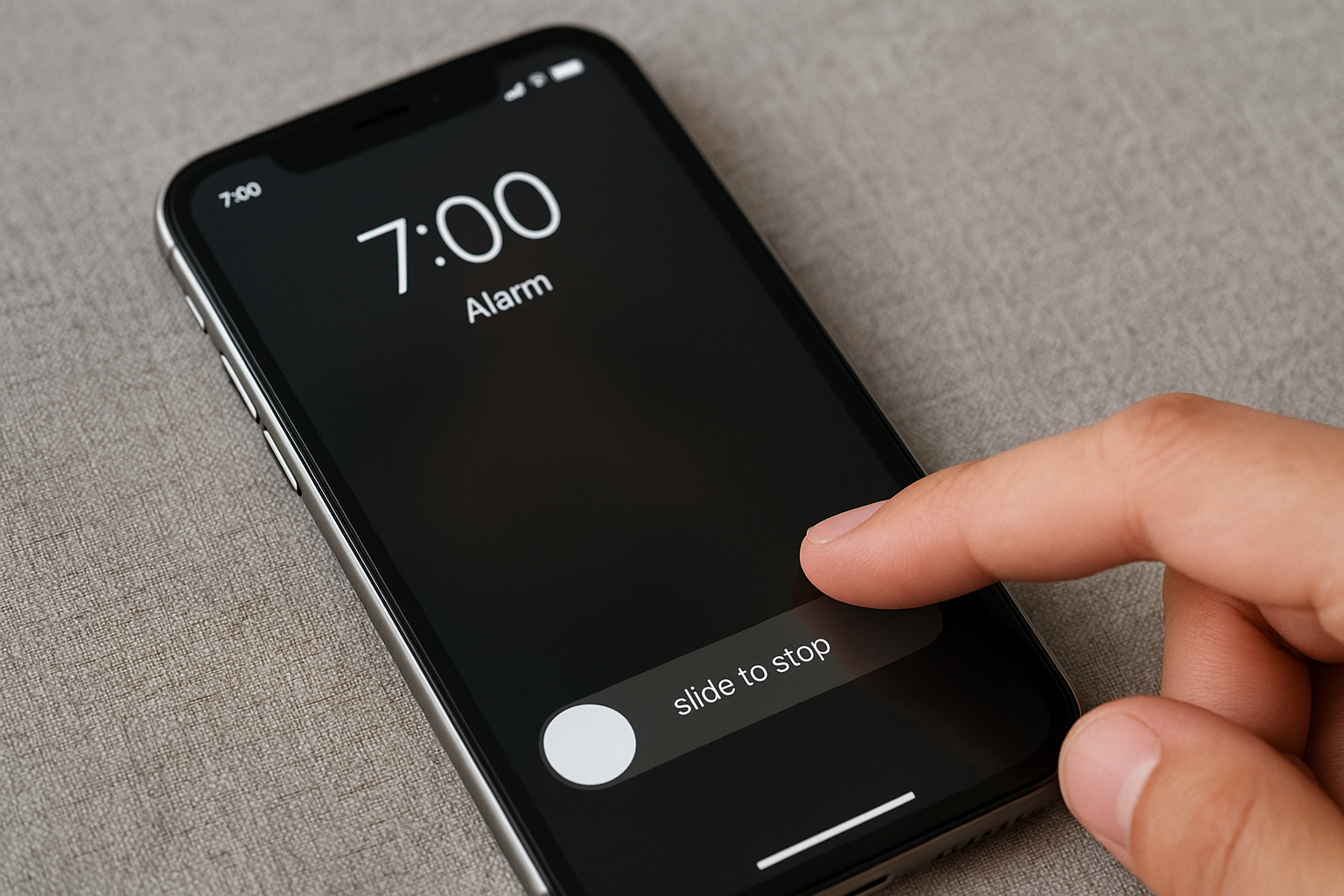
With iOS 26, many users found themselves accidentally tapping “Stop” instead of “Snooze” when their alarm went off. To curb that, Apple’s iOS 26.1 beta 2 introduces a redesigned alarm interface: now you need to slide to stop an alarm rather than just tap.
Why the Old UI Was Backfiring
In the current iOS 26 version, the alarm screen displays two big buttons: Snooze and Stop. The large Stop button, placed next to Snooze, leads to frequent mis-taps especially when you’re half asleep. Apple seems to recognize this flaw. By requiring a deliberate slide action, the update ensures the alarm won’t end by a stray touch.
Also noteworthy: Apple made the buttons bigger in iOS 26, making the interface more prone to mistakes.
What’s Changing in iOS 26.1 Beta 2
- Slide to Stop: Instead of tapping, users must slide (left to right) to stop the alarm.
- Tap to Snooze still works: The Snooze button remains tappable for ease of postponing the alarm.
- Persistent ringing until slide: The alarm continues until the slide is fully completed.
- These changes are currently in beta, so final release could tweak the behavior.
Expert & Community Insights
Some tech analysts argue the redesign is ironic: earlier internal studies showed that when Stop and Snooze were made equal in size, mis-taps increased by about 30%. Others see the slide gesture as a more intentional action that demands user focus, reducing accidental dismissals.
From Reddit and iPhone user communities:
“mine did an auto update overnight and the alarm didn’t go off I worry about oversleeping.”
Many users have long requested the ability to customize snooze times (instead of being locked at 9 minutes). That feature also arrived in iOS 26, letting users pick snooze intervals between 1 and 15 minutes.
Why This Update Matters
This tweak is small but meaningful. For many users, accidentally ending an alarm leads to oversleeping, missed commitments, and frustration. The new slide requirement adds a layer of protection.
It underscores how tiny design details can affect daily habits especially tasks we perform semi-consciously, like hitting snooze.
Also, it shows Apple responding to real user pain points albeit in incremental steps rather than radical overhaul.
What’s Next for Apple’s Alarm Design?
If beta feedback is positive, iOS 26.1’s new alarm UI will roll out broadly to iPhone devices soon. Apple may further refine aspects such as:
- Adding haptic feedback while sliding
- Allowing customization of slide direction or sensitivity
- Tweaking alarm behavior in locked phones or silent modes
Watch for these changes in upcoming betas and the stable iOS 26.1 update.
Conclusion
In iOS 26, bigger buttons caused bigger problems users ending alarms by mistake. With iOS 26.1 beta 2, Apple’s “slide to stop” revamp aims to reduce those slip-ups and make waking up more reliable. It’s a thoughtful fix for a daily annoyance. Whether you love or hate snoozing, this update may help ensure your morning alarm actually wakes you.